InkyPi
With two kids, my wife and I spend most of our day acting as their personal assistants and taxi service. With PE kit, outdoor learning, school homework, lunches, afterschool clubs, evening sports, it is a constant battle to ensure they have everything they need for the day ahead.
Currently, we use a shared calendar to keep track of everything. However, during the morning rush, I wanted a dashboard in the kitchen that could provide “at a glance” information without needing to use my phone.
There are plenty of commercial products, such as Skylight. However, these are fairly expensive (Skylight Frame 10-inch = £159) and commonly require a subscription (Skylight Plus Subscription = £29pa). Considering the fairly basic nature of the technology, I question the return on the investment.
This led me to InkyPi, which is an open-source E-Ink display powered by a Raspberry Pi. The image below shows my prototype, showing a list view of my familiar calendar. The Ikea frame is not perfect, but it can be easily improved by inserting a better cutout (hiding the edges of the E-Ink display).
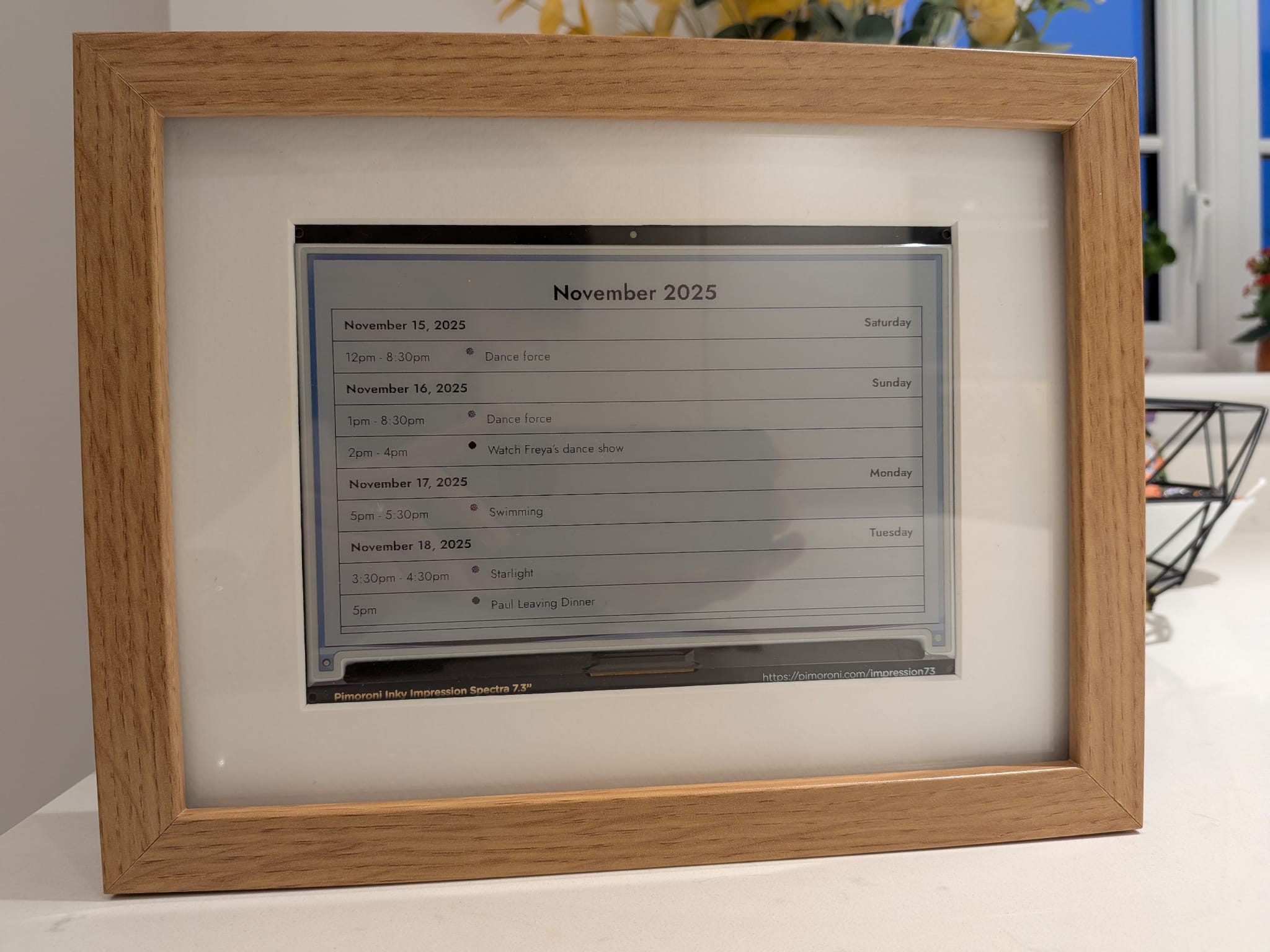
The InkyPi project includes a range of features, made available as plugins. For example:
- Text (Hardcoded or AI Generated)
- Calendar (Google, Outlook, or Apple)
- Clock
- Countdown
- GitHub Contributions
- Images (Folder, URL or AI Generated)
- Newspaper/Comic
- RSS Reader
- To Do List
- Weather
- Year Progress
The plugins can be configured quickly and easily via a web interface, with settings that allow for plugins to be refreshed automatically and displayed based on specific criteria.
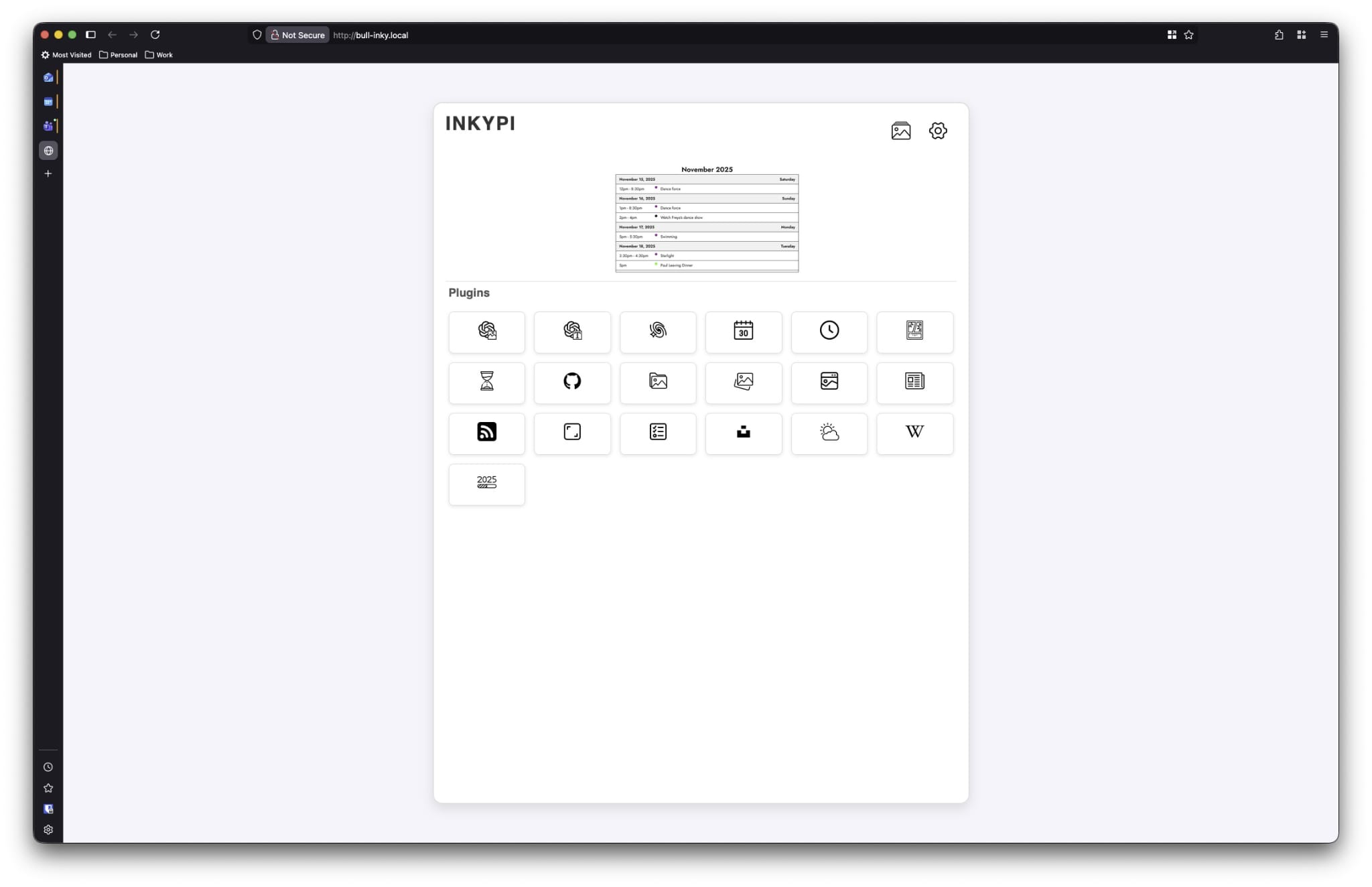
As the project is open source, it is also extensible, with the option to customise any plugin or add new ones based on your specific requirements.
The build consists of a Raspberry Pi Zero 2 W (ideally with Headers), a Pimoroni Inky Impression Spectra 7.3-inch display and an SD Card for the operating system (Raspberry Pi OS). The unit can be powered via a standard micro-USB socket and is easily mounted within a standard photo frame (you may need to cut a gap in the back).
The core components cost £17.50 for the Raspberry Pi Zero 2 W, £79.50 for the Inky Impression 7.3-inch display, and approximately £25 for an SD card, resulting in a total of £122. This is cheaper than many of the commercial products, with no subscription required.
In addition, the Raspberry Pi Zero 2 W is very versatile, with its 1GHz ARM Cortex-A53 CPU, 512MB SDRAM, mini HDMI, and wireless connectivity via Wi-Fi b/g/n and Bluetooth 4.2. Considering it runs Linux, it can be used to host other applications for home automation, etc.
The video below highlights the InkyPi in action, alongside the build process, which should not take more than 20 minutes total time.
The InkyPi GitHub project includes everything you need to get up and running, configured as a series of scripts that automate the process.