AMD Ryzen AI Max 300
I recently started testing two systems equipped with the new AMD Ryzen AI Max+ 395, which, in my opinion, is one of the most interesting x86-64 processors ever released.
The specification of the AMD Ryzen AI Max+ 395 can be found below.
- AMD Ryzen AI Max+ 395 (16 Cores / 32 Threads)
- 3GHz Base / 5.1GHz Boost
- 16MB L2 Cache / 64MB L3 Cache
- Radeon 8060S Graphics (40 Graphics Cores)
- 2900MHz
- 128GB Unified Memory (LPDDR5x-8000 / 256-bit)
The AMD Ryzen AI Max+ 395 is technically an Accelerated Processing Unit (APU), as it combines a Central Processing Unit (CPU) and Graphics Processing Unit (GPU) on one package, with access to unified (shared) memory.
The CPU is based on the Zen 5 (Strix Halo) architecture, and the GPU is built on the RDNA 3.5 architecture, utilising the TSMC 4nm FinFET process. The total APU includes a configurable TDP (cTDP) ranging from 45W to 120W, making it suitable for both laptops and desktops.
This is the first time that I have seen a high-performance CPU and GPU embedded on a single package, with access up to 128GB of unified memory, delivering 256GB/s of memory bandwidth.
This approach resembles the highly successful Apple M series, with the primary difference being that the AMD Ryzen AI Max+ 395 is x86-64, making it natively compatible with existing Windows and Linux operating systems.
The two systems I have been testing are the HP ZBook Ultra G1a and the Framework Desktop. The specification for each system can be found below.
HP ZBook Ultra G1a
- AMD Ryzen AI Max+ 395 3GHz Base / 5.1GHz Boost (16C/32T)
- 128GB LPDDR5x-8000 Unified Memory
- AMD Radeon 8060S Graphics (40 Graphics Cores)
- 2TB M.2 2280 TLC NVM-e SSD
- MediaTek Wi-Fi 7 MT7925 (Wi-Fi 7 and Bluetooth 5.4)
- 2x Thunderbolt 4, 1x USB-C, 1x USB-A, HDMI 2.1, 3.5mm Headphone
- 14-inch OLED Display (2880x1800 @ 120Hz)
Framework Desktop
- AMD Ryzen AI Max+ 395 3GHz Base / 5.1GHz Boost (16C/32T)
- 128GB LPDDR5x-8000 Unified Memory
- AMD Radeon 8060S Graphics (40 Graphics Cores)
- 4TB Western Digital SN850X NVM-e SSD
- 2x Thunderbolt 4, 1x USB-C, 1x USB-A, HDMI 2.1, 3.5mm Headphone
- AMD RZ717 Wi-Fi 7 (Wi-Fi 7 and Bluetooth 5.4)
- Realtek RTL8126 5Gbit Ethernet
- 1x HDMI 2.1, 2x DisplayPort 2.1, 2x USB-C, 2x USB-A, 1x 3.5mm
- 2x Expansion Card Slots
The fact that this APU supports a laptop and desktop form factor is impressive. The only difference is the cTDP, with the HP ZBook Ultra G1a drawing a peak of 70W and the Framework Desktop hitting the full 120W.
This difference in power target highlights the need to balance thermals and battery life for the laptop, constraints that do not exist in a desktop, allowing for the APU to operate at maximum performance.
As you can see from my specification, the systems are both configured with 128GB unified memory. This memory is shared between the CPU and GPU. Therefore, AMD has equipped high-performance modules, delivering 256GB/s of memory bandwidth. This is similar to the Apple M4 Pro (273GB/s) and is a lot higher than the DDR5 memory commonly paired with Intel and AMD processors.
With that said, the memory bandwidth falls behind the Apple M4 Max (546GB/s) and dedicated graphics cards, such as the NVIDIA GeForce RTX 5090 (1,792GB/s). With it being shared, there is also some risk of contention when under heavy load.
To optimise the configuration for specific workloads, it is possible to pre-allocate the amount of memory via the BIOS. For example, when running large local AI models, you would likely want to allocate more unified memory to the GPU (e.g., 96GB), something that would be less relevant for daily usage (where a maximum of 32GB for the GPU would be more than enough).
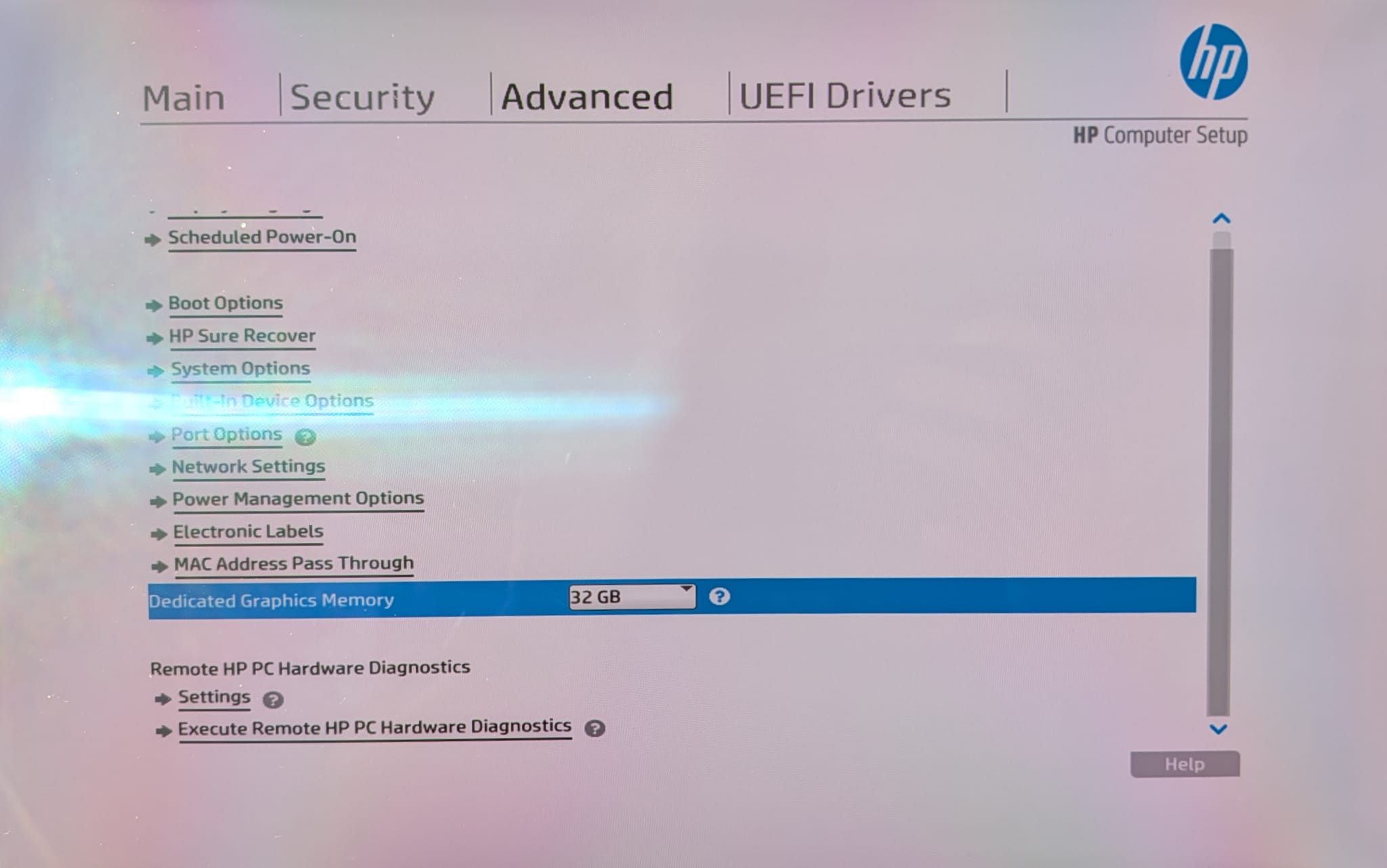
The use of unified memory is certainly a benefit when it comes to performance, whilst also helping with battery life. However, this design decision means the memory is not upgradable, which means any buying decision must consider the total amount required over the duration of the product’s lifecycle (potentially resulting in a higher initial price).
Operating System
Although both systems support Microsoft Windows, I will be installing and using Linux, specifically Fedora 42.
Using Linux with bleeding-edge hardware can be a risk, as it takes time for the relevant drivers and software optimisations to hit the Kernel.
Thankfully, the AMD Ryzen AI Max+ 395 works great out of the box with Fedora 42, covering the 6.15.x and 6.16.x Kernels. In my previous article “Fedora 42 Configuration”, I shared the specific details regarding my software configuration.
The only hardware issue I have identified during my testing was the integrated webcam in the HP ZBook Ultra G1a. HP does offer a version of Ubuntu 24.04 with an OEM Kernel, which includes webcam support. However, I prefer Fedora and feel confident that webcam support will eventually make its way to the release Kernel. In the interim, I simply use an external USB webcam.
Regarding the AMD Ryzen AI Max+ 395 itself, compatibility, performance, and reliability are all good. The battery life on the HP ZBook Ultra G1a is acceptable. It will not rival a Mac, and at the time of writing, it likely falls behind Windows running the same hardware. However, I expect this to improve as future optimisations are added to the release Kernel.
As is common with Linux running on a Laptop, BIOS configuration can make a big difference regarding reliability and power efficiency. For example, I had some initial challenges with suspend, which I initially thought was a Kernel or distribution issue, but turned out to be BIOS-related.
As for the Framework Desktop, I am pleased to report that everything is working as designed, without the need for any workarounds. As this is a desktop, thermals and power consumption are less of a concern, resulting in a great out-of-the-box experience. Great work from the Framework team!
Hardware
Regarding the hardware itself, both systems are very well built.
The HP ZBook Ultra G1a is certainly a premium laptop, with a dense and rigid construction, which rivals the best I have seen from Dell, Lenovo, Asus, etc.
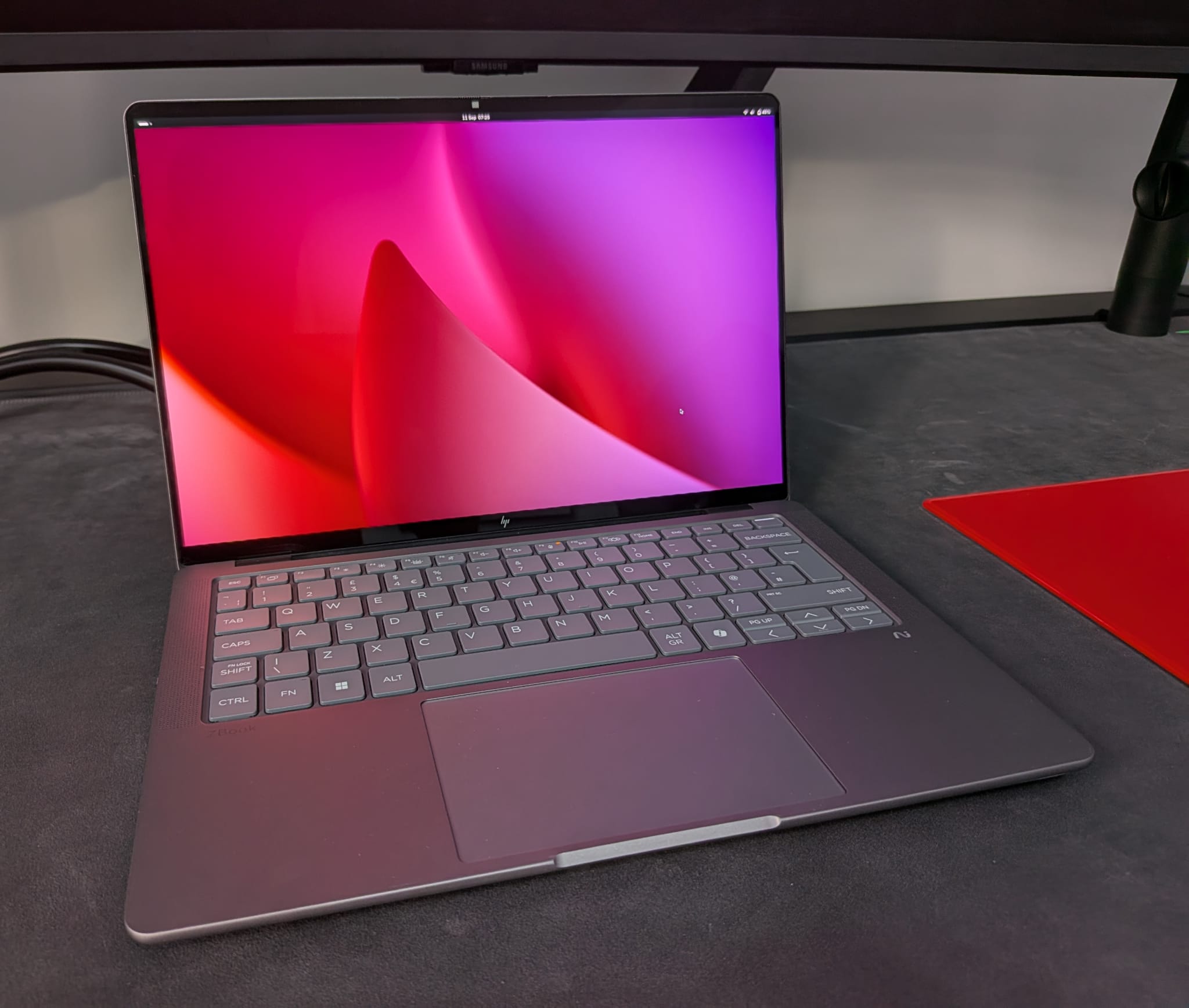
The touchpad and keyboard are both excellent, with my only minor complaint being the lack of a haptic touchpad. I have also been impressed with the excellent I/O, speakers, microphone, and webcam, all of which are above what I have come to expect from non-Apple laptops.
The same can be said for the display, which delivers a high resolution (2880x1800) and high refresh rate (120Hz), with beautiful colours thanks to the OLED panel.
The Framework Desktop is equally impressive, with a very small form factor and some smart design decisions that ensure thermal performance is perfectly maintained even under sustained full load.
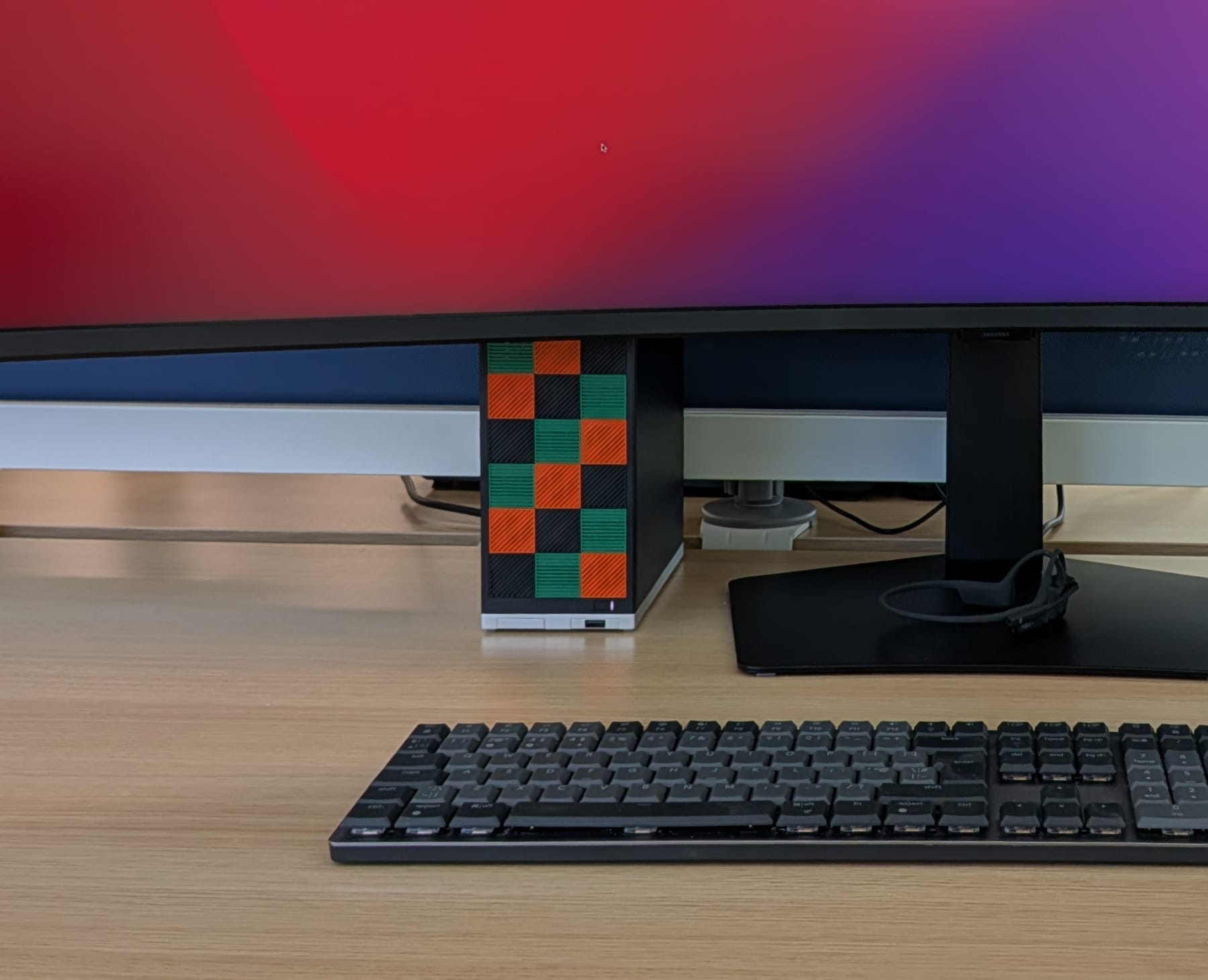
The FlexATX 400W Power Supply Unit (PSU) is a great addition, as this is an area that is usually cumbersome when working with small form factor systems. I am also pleased to see the addition of two M.2 SSD slots (one on the front and one on the back of the mainboard), alongside two easy-to-access expansion card slots on the front.
My only minor frustration is the PCIe x4 slot, which I wish could have been a full PCIe x16 slot (even if bandwidth was reduced). Although it would not be possible to add a dedicated GPU within the default Framework case, the potential to put the Mini-ITX mainboard in another case would have made for an interesting upgrade option down the road.
For example, Minisforum has announced the MS-S1 Max, which also uses the AMD Ryzen AI Max+ 395 and includes a full PCIe x16 slot, alongside USB4v2 Type-C, delivering 80Gbps throughput.
Performance
The GeekBench 6 scores (Single-Core / Multi-Core) for the HP ZBook Ultra G1a and Framework Desktop can be found below.
- HP ZBook Ultra G1a - Battery - Balanced = 2578 / 15825
- HP ZBook Ultra G1a - Battery - Performance = 2703 / 14033
- HP ZBook Ultra G1a - Powered - Balanced = 2590 / 15523
- HP ZBook Ultra G1a - Powered - Performance = 2702 / 14410
- Framework Desktop - Balanced = 2810 / 20769
- Framework Desktop - Performance = 2840 / 22769
Overall, the AMD Ryzen AI Max+ 395 is extremely impressive! These numbers rival the best consumer parts I have used, with the Apple M3/4 Max being a notable exception. With that said, achieving Apple M3/M4 Pro performance is welcome progress for x86-64.
In addition, the Radeon 8060S, with 40 Graphics Cores, achieves NVIDIA GeForce RTX 4060 performance, falling slightly behind the new NVIDIA GeForce RTX 5060. This is an excellent result for an integrated GPU, which avoids the cost, size, power, and thermal implications of using a dedicated GPU. I suspect the Radeon 8060S will be more than enough for most users, even those with specific requirements for local AI, rendering, and gaming.
Unsurprisingly, the Framework Desktop outperforms the HP ZBook Ultra G1a, supported by the higher cTDP. With that said, HP ZBook Ultra G1a performs very well, highlighting the diminishing returns beyond the 70W cTDP.
With Fedora 42, running GNOME 48, the difference between “Balanced” and “Performance” modes appears to bias single-core performance when thermally constrained. With this in mind, when using the HP ZBook Ultra G1a, it would appear that “Performance” mode would offer small real-world benefits when targeting single-threaded workloads.
For more information regarding performance on Linux, I recommend reviewing the excellent articles by Michael Larabel at Phoronix.
In my opinion, Michael continues to deliver the best (most comprehensive) Linux performance analysis.
Conclusion
Overall, I am incredibly impressed with the AMD Ryzen AI Max+ 395.
The performance, reliability, and convenience of having a single package that can deliver excellent results across a wide range of workloads, with support for laptops and desktops, is a major step forward for the x86-64 architecture.
At the right price point, I can see this APU becoming very popular, especially with AI enthusiasts and gamers, especially those looking to balance size and thermal efficiency.
I also hope the success of this APU encourages AMD to deliver more of the same, integrated future architecture improvements, such as RDNA 4, etc.