Minecraft UGREEN NAS
I recently upgraded my home storage to a UGREEN NAsync DXP2800 Network Attached Storage (NAS).
Although not high-performance, the hardware is competent, with an Intel N100 3.4GHz (4C/4T) processor, 8GB DDR5 memory (expandable to 16GB), an SSD for high-throughput I/O and 2.5Gb/s networking.
One of the benefits of a modern NAS is the ability to run Docker, providing access to a wide variety of software.
A great example, my son and daughter enjoy the game Minecraft, which has the option for network play. However, you need access to a Minecraft server to host a game.
There are plenty of online options for hosting Minecraft servers. However, they commonly require account creation and/or a monthly subscription. Therefore, the ability to create a local server is compelling.
I use the itzg dedicated server, which is available for the Bedrock and Java editions of Minecraft. The links below are for the Bedrock version.
This dedicated server is made available as a Docker image, which, conveniently, can be deployed to my UGREEN NAS using the following Docker Compose configuration.
version: "latest"
services:
  Minecraft:
    image: itzg/minecraft-bedrock-server
    environment:
      EULA: "TRUE"
      GAMEMODE: survival
      DIFFICULTY: normal
      VERSION: "latest"
    volumes:
      - ./data:/data
    network_mode: host
    restart: unless-stopped
To deploy, simply connect to the NAS via UGOS PRO (online console) and select the “Docker” application. Click “Project > Create”, provide a “Name”, “Storage Path” and copy/paste the Docker Compose configuration.
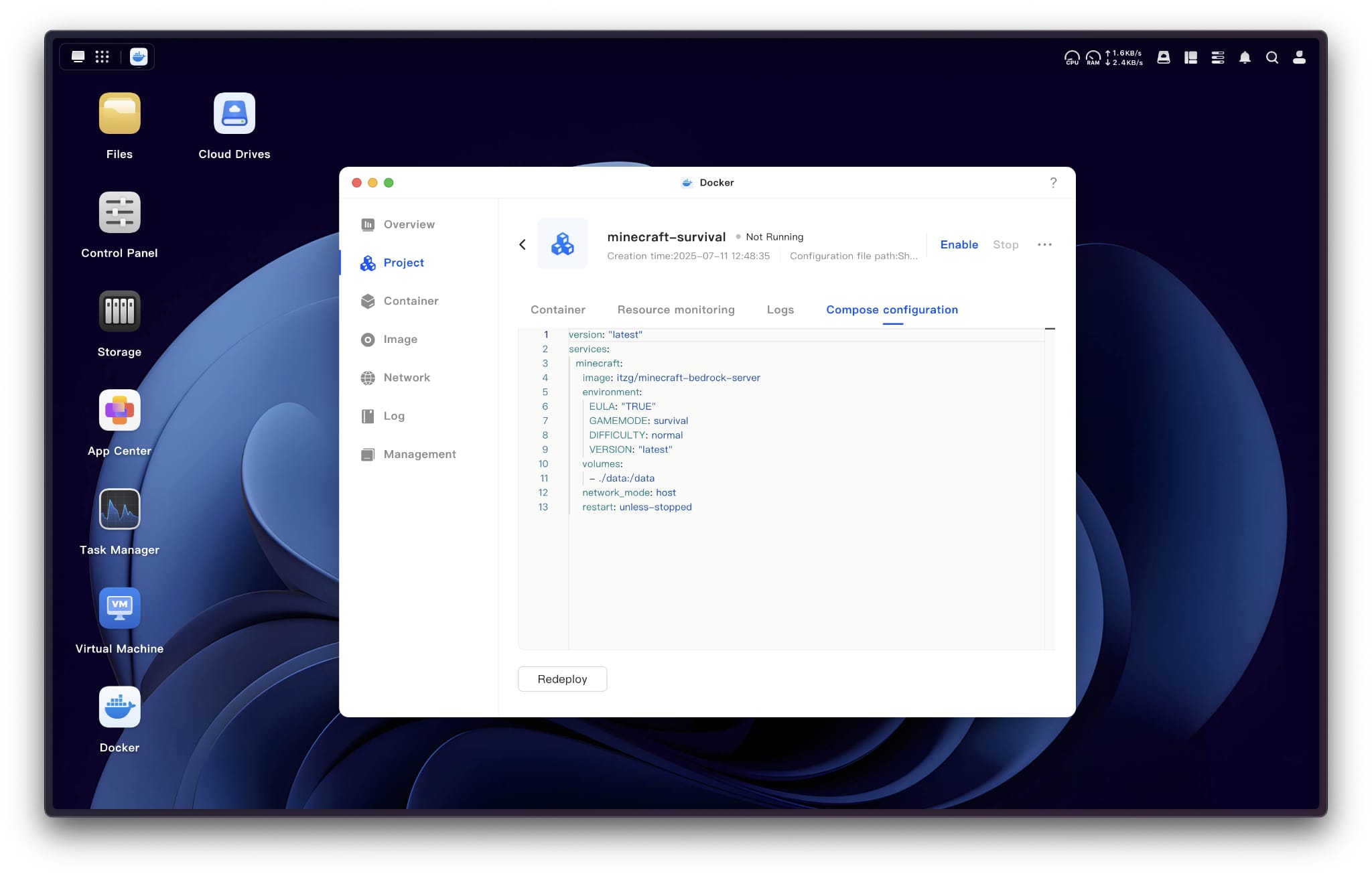
This will download, deploy, and run the Docker container. You can then connect to the server from Minecraft (PC Edition) by selecting “Servers” and entering the IP Address of your UGREEN NAS. Although not required, the default ports from Minecraft are:
- Minecraft Bedrock Edition: 19132
- Minecraft Java Edition: 25565
As per the Docker Compose configuration, this will launch a “Survival” game with the difficulty set to “Normal”. Game settings can be pre-configured by adding specific options, using server properties. The full list of options can be found on the Minecraft Wiki.
By default, these Minecraft servers will only be available on the Local Area Network (LAN). However, with Dynamic DNS (DDNS) and port-forwarding, the server can be exposed to the Internet for remote (online) play.
As stated at the start of the article, the UGREEN NAsync DXP2800 NAS is not the highest-performing. Therefore, do not expect to run large/complex Minecraft servers, target approximately 10 users, with moderate view and simulation distances.
Finally, you can enable or disable Docker Containers from UGOS PRO without losing game status or configuration. Therefore, I tend to keep them disabled unless required.