UGREEN NAS
I recently upgraded my home storage to a UGREEN NAsync DXP2800 Network Attached Storage (NAS).
I had previously used a 4-bay Synology NAS, but more recently, maintained carbon copies of my data on a local Apple Mac Studio with external storage attached.
Although the Mac Studio had served me well, it was overkill for my requirements and lacked the inherent benefits offered by Redundant Array of Independent Disks (RAID). I had also been intrigued by UGREEN, as they had recently entered the NAS market in Europe and the US, with some compelling products.
The specification of the UGREEN NAsync DXP2800 NAS can be found below.
- UGREEN NAsync DXP2800
- Intel N100 3.4GHz (4C/4T)
- 8GB DDR5 4800 MT/s
- 1x eMMC 32GB (OS Installation)
- 2x SATA, 2x M.2 SSD (Maximum 76TB)
- 1x SD Card Reader
- 1x USB-C, 1x USB-A (10Gb/s), 2x USB-A (480Mb/s)
- 1x HDMI
- 1x 2.5Gb/s Ethernet
In addition to the base specification, I installed two 4TB Western Digital Red Plus Hard Disk Drives (5400RPM), a single internal 1TB Solid State Drive, and a 2TB SanDisk Solid State Drive connected externally via USB-C.
The NAS supports JBOD, Basic, RAID 0, and RAID 1 configurations. I selected RAID 1 (mirroring) for my two Hard Disk Drives and configured the internal Solid State Drive for applications (e.g., Virtual Machines, Docker, etc.) It is possible to use the internal Solid State Drive as a cache to speed up read/write performance. However, none of my use cases require this feature. The external Solid State Drive provides a third level of removable backup.
The hardware specification delivers excellent performance for the price, especially when compared against popular alternatives such as Synology and QNAP. UGREEN are also very consumer-friendly, allowing third-party operating systems to be installed, such as TrueNas and Unraid, as well as no hardware storage restrictions (e.g., any Hard Disk Drive manufacturer can be used).
My requirements include local storage redundancy (mirroring), versatile network accessibility, and cloud synchronisation. I also desire the ability to run local virtual machines and Docker containers. Thankfully, the UGOS Pro operating system provided by UGREEN delivers all of these features; therefore, I have no requirement (at this time) to switch to an alternative.
The hardware itself is very well built, with a compact, sturdy metal chassis, offering simple (tool-less) access to the drives (HDD and SSD), alongside a convenient hatch on the bottom for memory upgrades (expandable up to 16GB).
The software is also excellent! It was instantly discovered on my network and (so far), very fast and reliable when accessing via the web admin console or file sharing protocols. The initial setup process was painless, with a wizard that ensures the basic controls are applied, including user management (alongside multi-factor authentication support) and storage configuration.
The initial RAID 0 setup for my two 4TB Hard Disk Drives took approximately six hours to complete (automated process), at which point the storage volume was available for use.
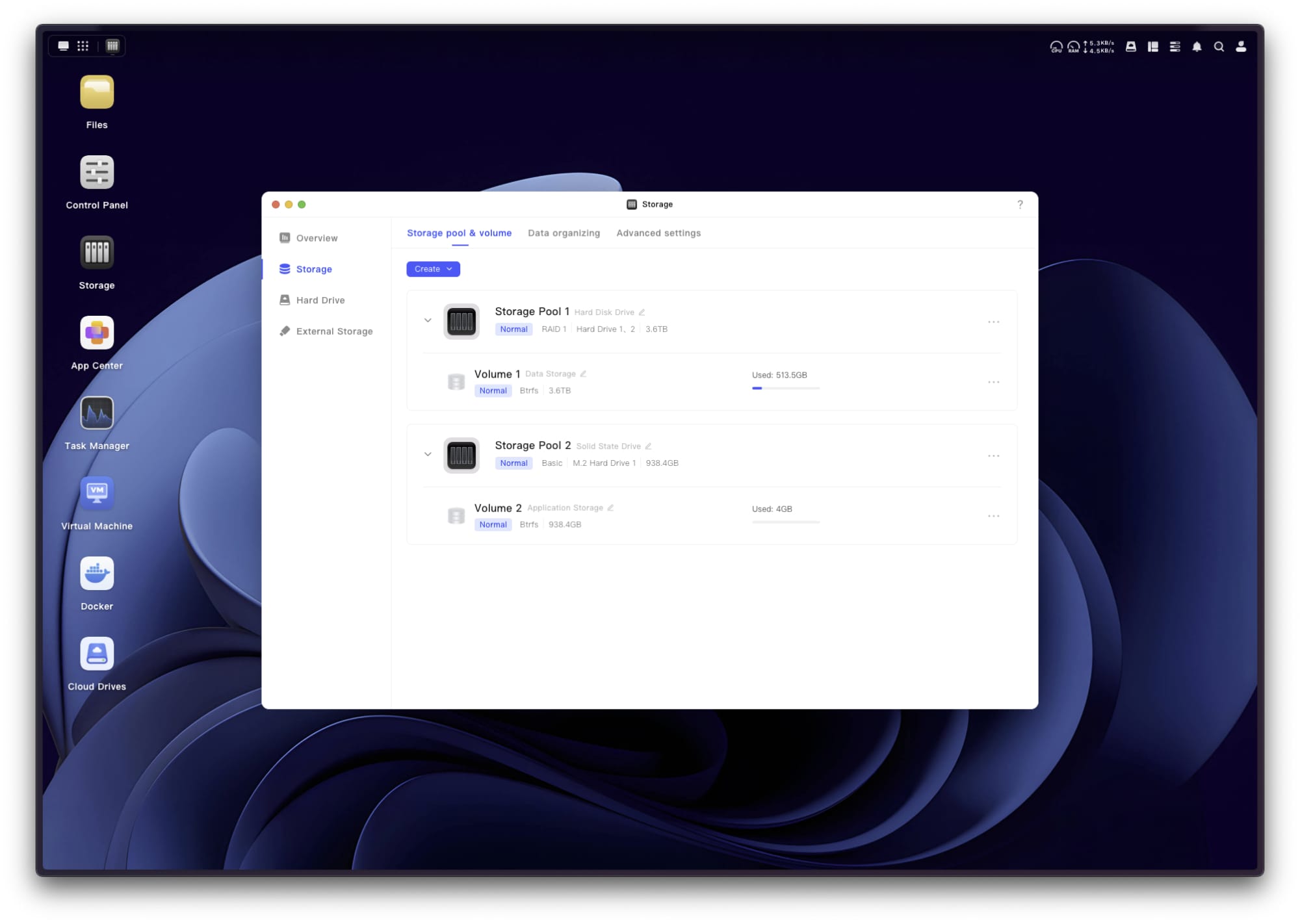
The majority of the settings are pre-configured. However, I made some minor tweaks to the security controls (restricting access based on my desired network configuration). The included “App Center” provides direct access to a host of native utilities. I installed Cloud Drives (for OneDrive synchronisation), Docker, Virtual Machine, Downloads, Security (Anti-Virus) and Sync & Backup.
The Cloud Drives utility was the most important, allowing me to synchronise (real-time) my data with cloud services, such as Microsoft OneDrive and Google Drive.
Although UGREEN offer native remote access via UGREENlink, I chose to configure my own option using Tailscale. There is no native utility for Tailscale. However, thankfully, it can be installed and configured using Docker.
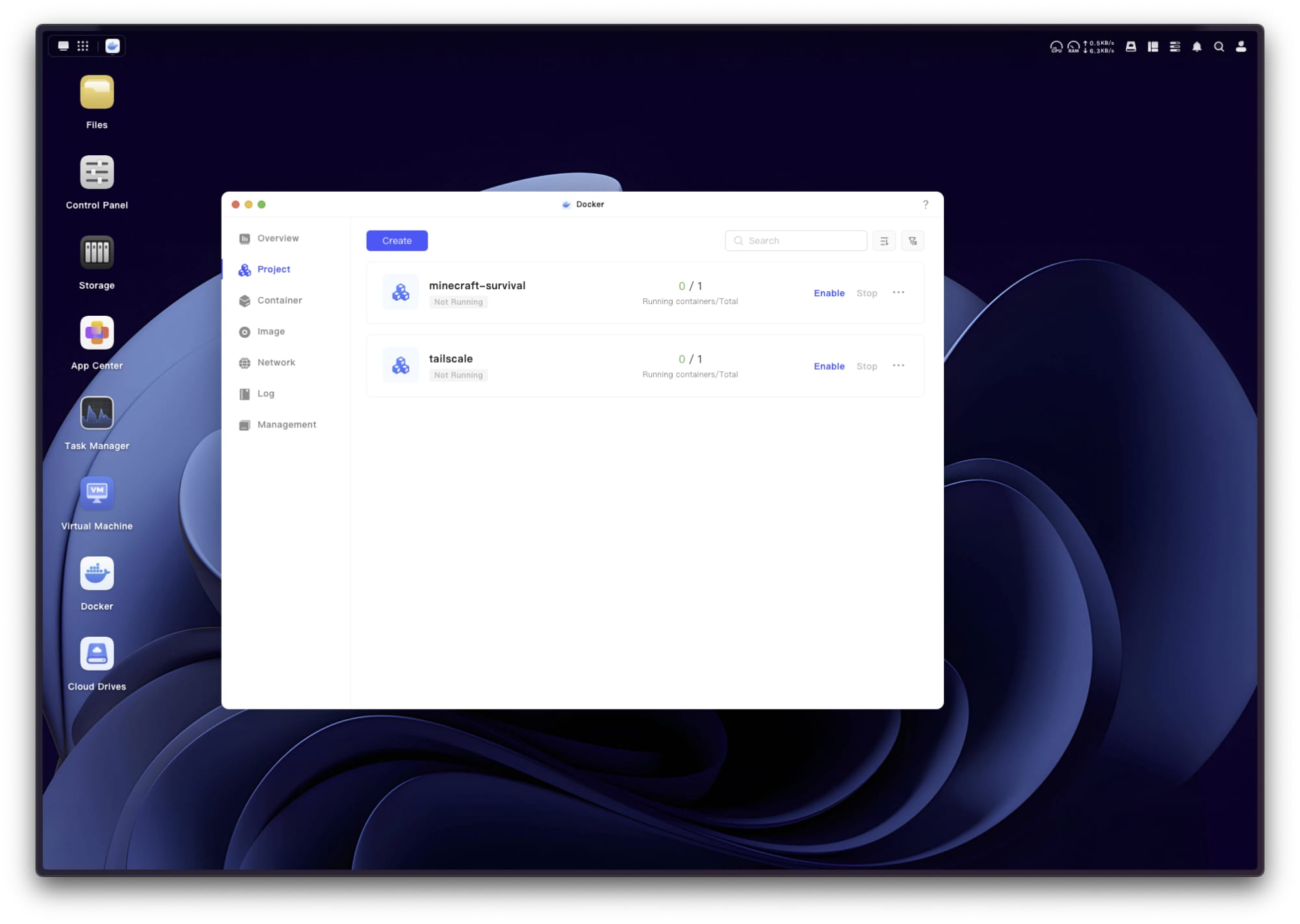
An example of my Docker Compose configuration can be found below.
services:
  tailscale:
    container_name: tailscale
    image: tailscale/tailscale:latest
    restart: unless-stopped
    volumes:
      - ./tun:/dev/net/tun
      - ./lib:/var/lib
    environment:
      - TS_AUTH_KEY=tskey-auth-<KEY>
      - TS_STATE_DIR=/var/lib/tailscale
      - TS_ROUTES=192.168.0.0/24
    network_mode: host
    privileged: true
The “TS_AUTH_KEY” can be created from the Tailscale web admin console, under “Settings > Keys > Auth keys”.
Once deployed and enabled, the UGREEN NAS should automatically connect and appear in the Tailscale web admin console. At which point, I would recommend configuring “Disable key expiry” and ensuring your subnet routes are configured as desired, under the “Edit route settings”.
You can now connect to your UGREEN NAS over Tailscale using the Tailscale IP address.
Overall, I have been extremely impressed with the UGREEN NAsync DXP2800 NAS. It is cost competitive, well built, performant and reliable, which considering its relative immaturity within the NAS market, is an impressive outcome.